



Running a small business already means keeping an eye on customers, payments, bills and day-to-day work. Accounting software is supposed to take some of that load off. Zoho Books and QuickBooks can both do the job, but they do not feel the same once you start using them.
QuickBooks is a familiar name and comes with plenty of accounting features. Zoho Books offers a straightforward approach to accounting and can be a cost-effective option for many small businesses. Here is a closer look at Zoho Books vs. QuickBooks.
Zoho Books vs. QuickBooks: Main Features
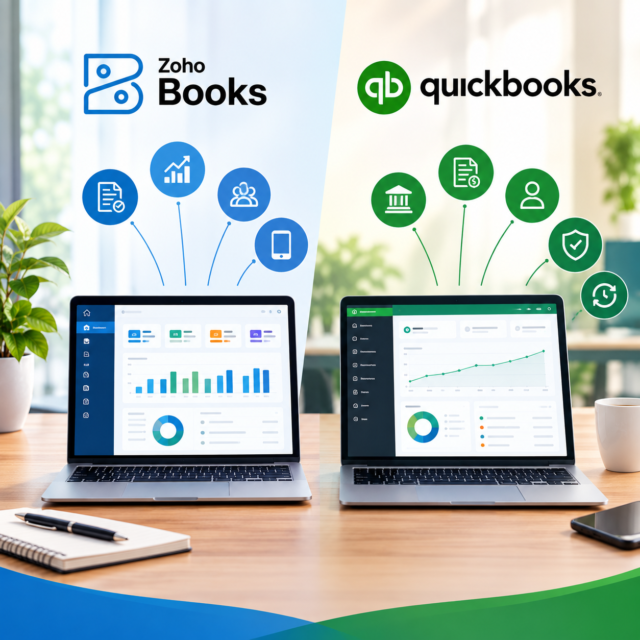
Both platforms let you create invoices, record expenses, connect bank accounts and check financial reports. The difference is often in how those features are presented.
Zoho Books has a clean dashboard. You can see unpaid invoices, expenses and cash flow without having to search through several screens. Invoices can be customised and sent directly to customers. If a customer forgets to pay, automatic reminders can save you from sending follow-up emails yourself.
QuickBooks covers these tasks too. It offers a wide range of reporting and financial management features. There are plenty of options to explore the numbers in greater depth. That can be valuable for a larger or more complex business, although a freelancer or small company may not use all of them.
Where Zoho Books Does Well
One of the best things about Zoho Books is that it does not make basic accounting feel harder than it needs to be. A business owner who is not an accounting expert can still find their way around it.
Automation is another useful part of the software. Recurring invoices, payment reminders and some routine tasks can be set up in advance. That means less time spent repeating the same work each week or month.
Zoho Books also makes sense for companies already using Zoho CRM, Zoho Inventory or other Zoho products. These apps can work together, so information does not have to be moved between several unrelated systems.
Where QuickBooks Does Well
QuickBooks has been used by businesses and accountants for years, so many accounting professionals already know their way around it. Its reporting tools are a clear strength. It also connects with a wide range of other business applications.
Nevertheless, an increase in features does not necessarily imply a better option. QuickBooks may feel more complex for businesses that only require basic bookkeeping. It can also become expensive as you upgrade to plans with more features.
Advantages of Zoho Books and QuickBooks
Zoho Books:
- Easy dashboard and navigation.
- Useful invoicing and expense tools
- Good automation for routine tasks.
- Works seamlessly with other Zoho sites.
- Generally, budget-friendly
QuickBooks:
- Strong financial reporting
- Common with many accountants.
- Extensive selection of integrations.
- Suitable for businesses with more complex accounting needs.
Zoho Books vs. QuickBooks Online: Pricing Comparison
| Feature | Zoho Books | QuickBooks Online |
| Pricing Tiers | $0/mo — Free plan
$20/mo — Standard plan $50/mo — Professional plan $70/mo — Premium plan $150/mo — Elite plan $275/mo — Ultimate plan |
$0/month — Free plan (limited features) $38/mo — Simple Start plan $85/mo — Essentials$140/mo — Plus plan$340/mo — Advanced plan |
| Monthly Cost | Offers a free plan, with paid plans starting at $20 per month. | Paid plans start at $38 per month with Simple Start. |
| Free Tier | Offers a free plan for eligible businesses earning under $50,000 annually, subject to feature and usage limits. | Offers only a 30-day trial. |
| Ecosystem Integration | Integrates natively with numerous Zoho applications, including CRM, Inventory and Projects. It also offers native integrations with third party applications. | Supports more than 800 integrations, including direct and third-party applications. |
| Invoicing | Supports up to 1,000 invoices annually on the Free plan, with higher limits on paid plans. | Supports up to 2 invoices monthly on the free tier, with unlimited invoicing across its paid plans. |
| Payroll | Payroll requires Zoho Payroll or a compatible third-party service. | QuickBooks Payroll is available as a separate paid add-on. |
| Inventory Tracking | Inventory tracking starts with the Professional plan and is included in higher plans. | Inventory tracking is available with the Plus and Advanced plans. |
| Workflow Automation | Offers recurring billing on the Free plan. Sales and purchase approvals are available in the Professional plan. Custom workflows are available in the Premium plan. | Offers automation features and custom workflows in Advanced plan. |
| US Accountant Compatibility | Supports US accounting requirements such as sales tax, 1099 management and accountant access, but is less commonly used among US accounting professionals. | Is widely used by US accountants and offers dedicated tools for accounting professionals. |
Note: Prices and plan features may change over time. For the latest information, visit the official Zoho Books and QuickBooks Online websites.
Prices vary by country and can change over time, so it is best to check the current plan before signing up.
Zoho Books generally has the advantage for businesses trying to keep software costs under control. It offers several plans, and eligible businesses in some markets can use a free plan. This allows smaller businesses to get started without a monthly subscription fee.
QuickBooks also comes in various plans, yet additional features or users may push the price higher. If you need its advanced features, the additional cost may be worthwhile. If you do not, you could end up paying for features you rarely touch.
Zoho Books gets the everyday things right. Sending invoices is simple. Expenses are easy to follow. Routine work can be automated, and the software fits neatly with other Zoho tools.
Conclusion
So, which one wins? For a business with complex reporting needs, QuickBooks still has plenty to offer. For a small or growing business seeking straightforward and cost-effective accounting, Zoho Books can be a strong option.
It gives you the tools you are likely to use every day without making the process feel heavy. Add its lower-cost plans and Zoho integrations, and Zoho Books offers a practical balance of price, features and ease of use.
FAQs
Is Zoho Books cheaper than QuickBooks?
Yes. Zoho Books can be more affordable depending on the plan, country, and features required.
Does Zoho Books have a free plan?
Yes, Zoho Books offers a free plan in certain markets for eligible businesses, subject to applicable limits.
Is QuickBooks easier to use than Zoho Books?
Both are user-friendly, but Zoho Books may feel simpler for businesses with basic accounting needs.
Which is better for small businesses?
Zoho Books can be a practical choice for small businesses that want affordable and straightforward accounting.